Alarm List
The "Alarm List" is used to view and manage Alarm information generated by the system.
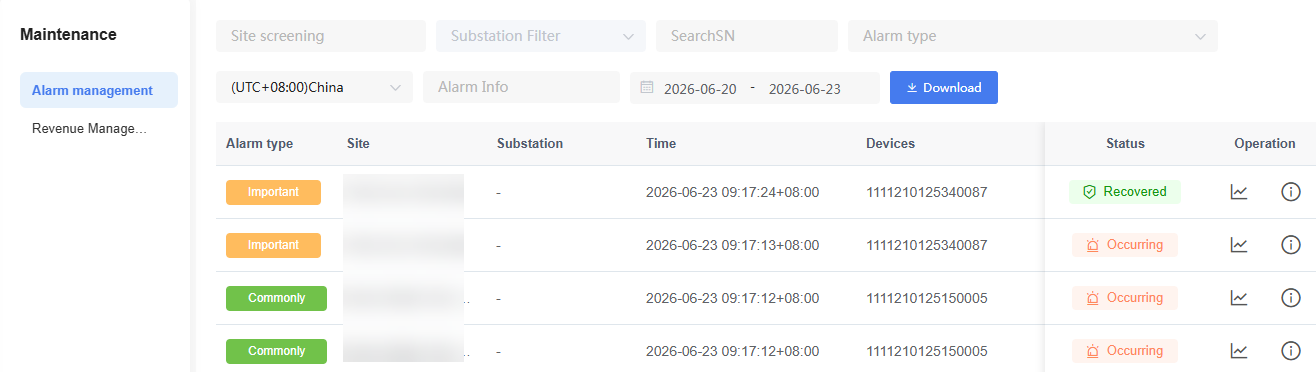
Users can filter Alarm records by Site, sub-Site, Device SN, Alarm type, Alarm content, and time range.
The following operations are supported:
| Operation | Description |
|---|---|
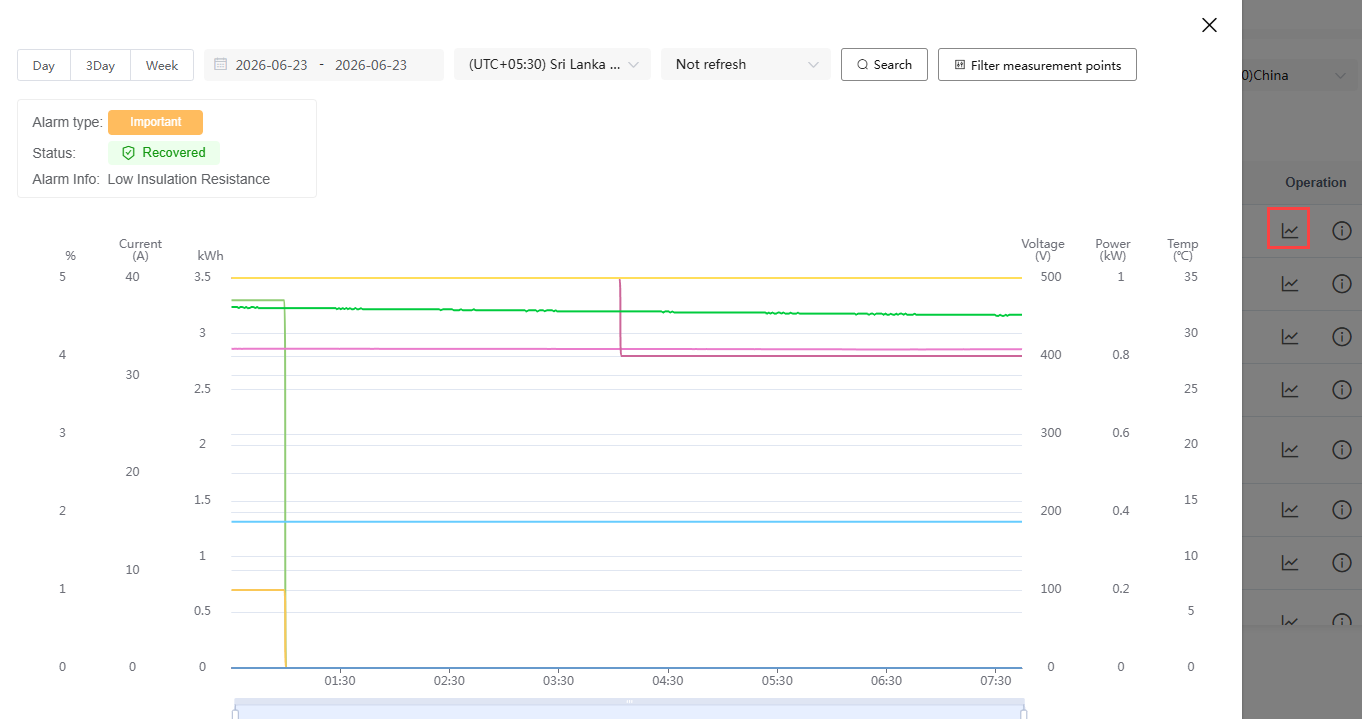
| View Alarm Trend | Click the trend icon to view the operating curve during the Alarm occurrence period. |
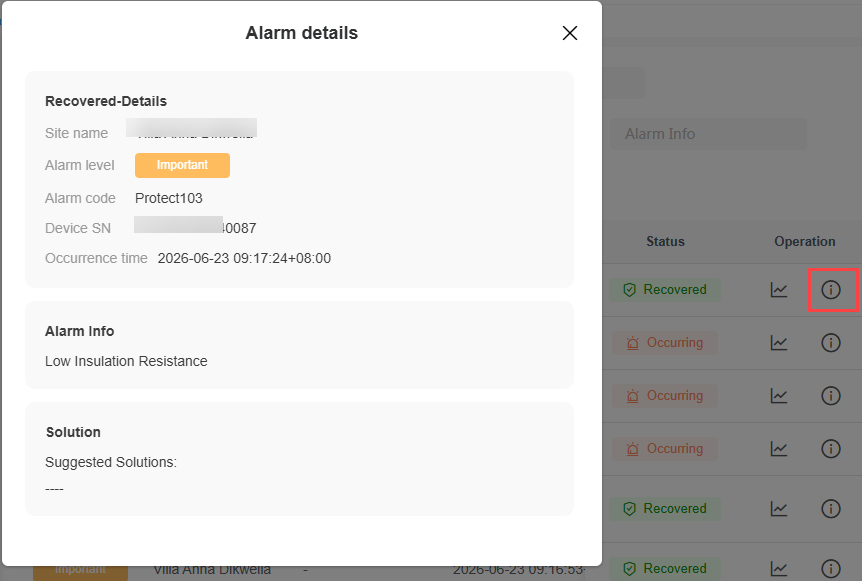
| View Alarm Details | Click the details icon to view Alarm information, Device information, and handling suggestions. |
| Export Data | Export Alarm records that match the filter criteria. |
The Alarm Trend page is used to view historical operating data during the Alarm occurrence period, assisting in fault cause analysis.
The Alarm Details page displays the Alarm level, Alarm code, Device information, occurrence time, Alarm content, and suggested handling plan.
NOTE
The Alarm types supported may vary depending on the Device.
Alarm statuses include "Active" and "Recovered".
It is recommended to conduct fault analysis by combining the Alarm trend and handling suggestions.