Firmware Upgrade
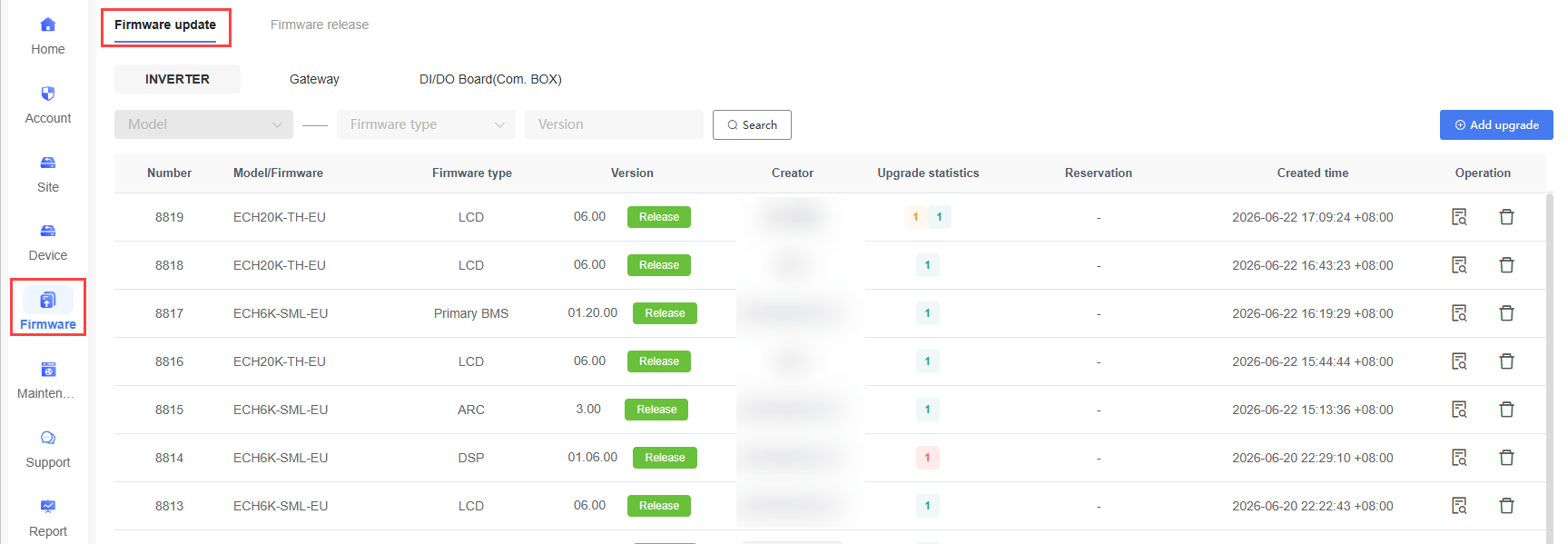
"Firmware Upgrade" is used to create and manage Device Firmware Upgrade tasks, supporting remote upgrades for Inverters, Gateways, and DI/DO Board(Communication Box).
Users can perform the following operations:
View upgrade task status and execution results.
Filter upgrade tasks by Device type, model, Firmware type, and version.
View upgrade details.
Delete upgrade tasks.
Create new upgrade tasks.
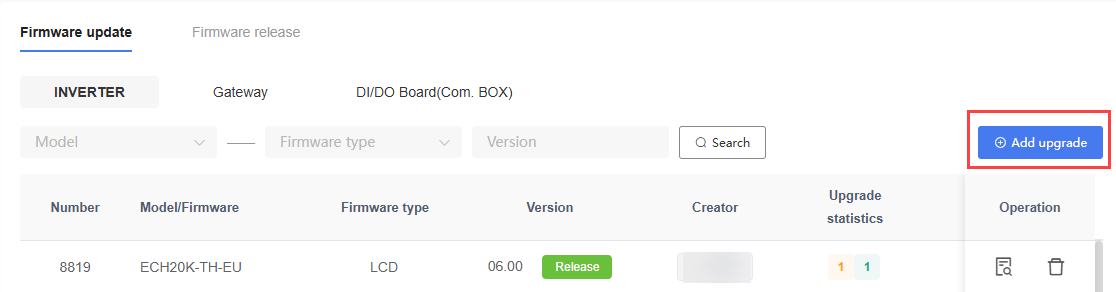
Create Upgrade Task
- Click the "Create Upgrade Task" button to create a new upgrade task.
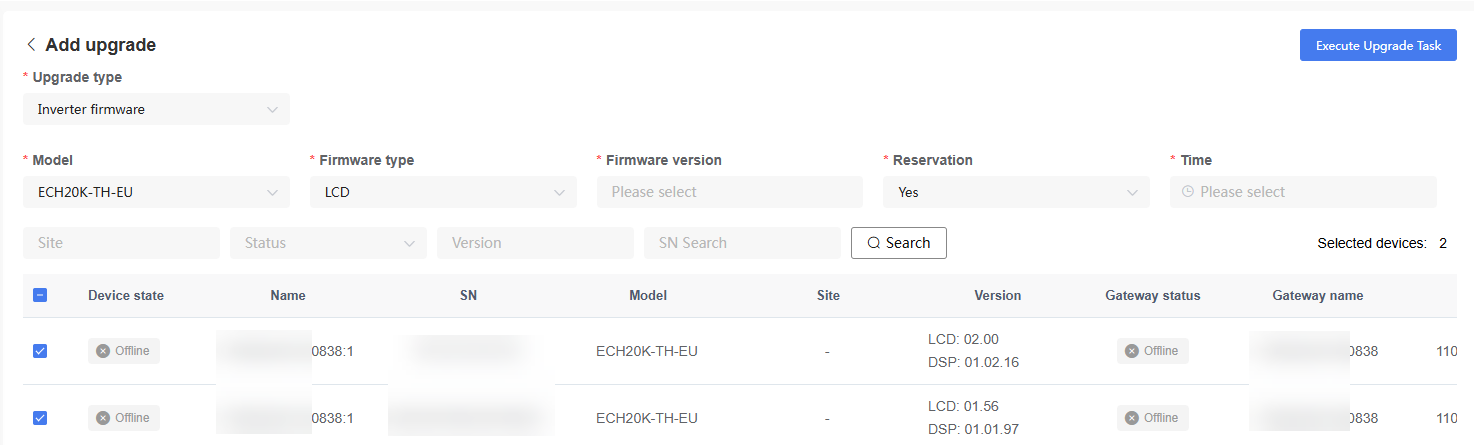
- When creating an upgrade task, you need to configure the following:
| Setting | Description |
|---|---|
| Upgrade Type | Select the Device type to be upgraded. |
| Model | Select the target Device model. |
| Firmware Type | Select the Firmware type to be upgraded. |
| Firmware Version | Select the target Firmware version. |
| Reservation | Select immediate upgrade or scheduled upgrade. |
| Time | When selecting scheduled upgrade, set the execution time. |
| Upgrade Devices | Select the Devices to be upgraded. |
After configuration is complete, click "Execute Upgrade Task". The system creates the upgrade task and delivers it to the selected Devices.
NOTE
The actually available Firmware types and Firmware versions depend on the Device model.
It is recommended to perform upgrade operations when Device communication is normal.
Keep the Device online during the upgrade process.
Some Devices may automatically restart after the upgrade is complete.
You can filter Devices for upgrade by Site, status, version, or SN.
If the upgrade fails, check the Device online status, network connection, and Firmware version compatibility.
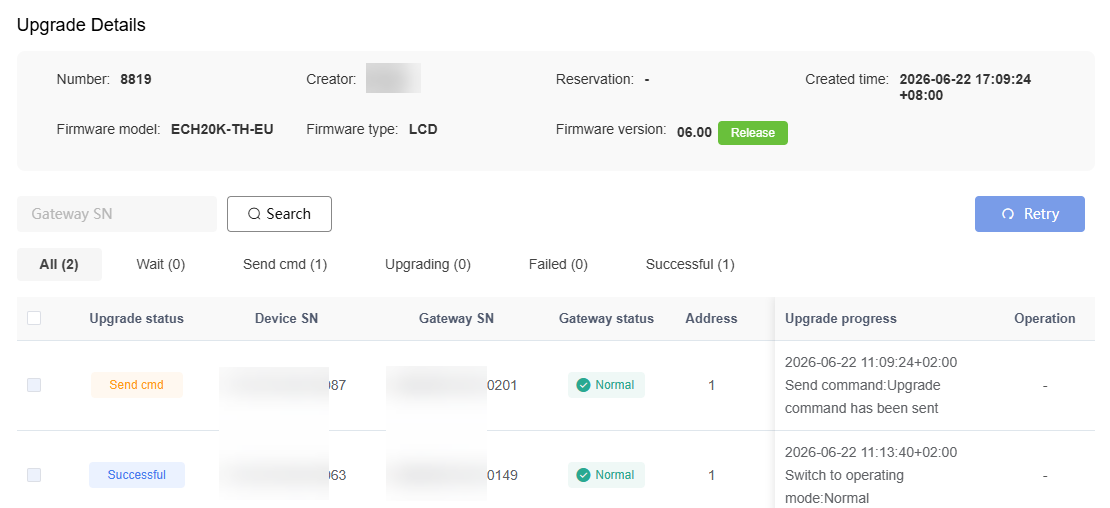
View Upgrade Details
Click "Details" in the upgrade task list to view the execution status of the upgrade task.
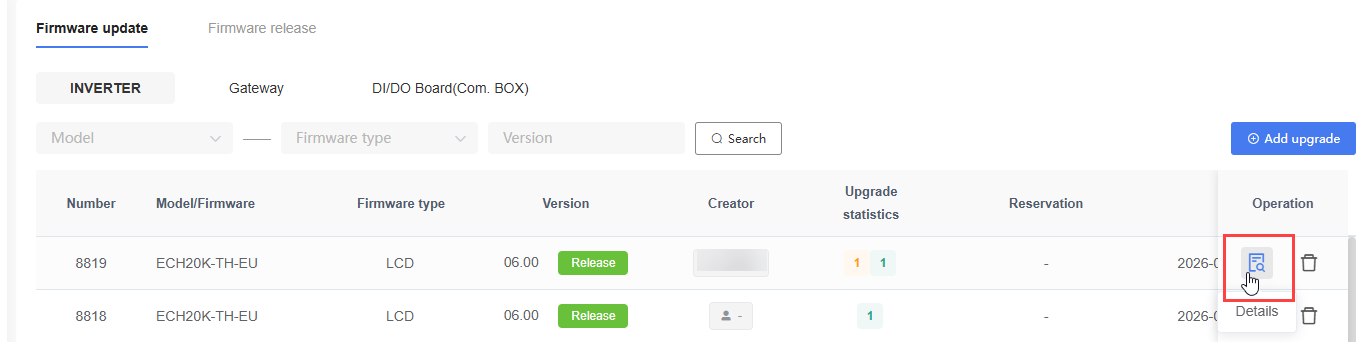
On the Upgrade Details page, users can view the upgrade Device list, upgrade status, upgrade progress, and upgrade results.