Electricity Meter
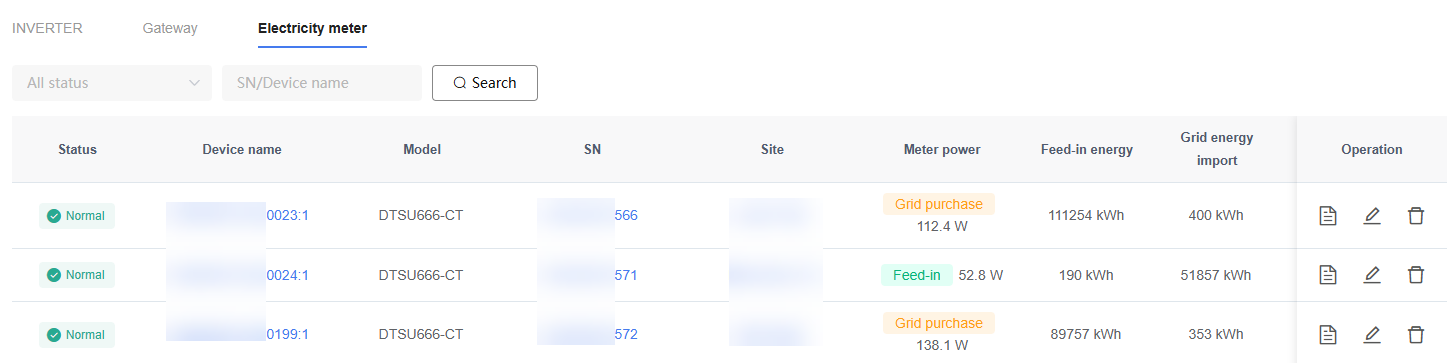
On the "Device" page, click the "Electricity Meter" tab to view Electricity Meter Devices connected to the platform.
The Electricity Meter list displays information including Device status, Device name, Device serial number (SN), Device model, affiliated Site, Electricity Meter power, grid export Energy, grid import Energy, and update time.
Overview
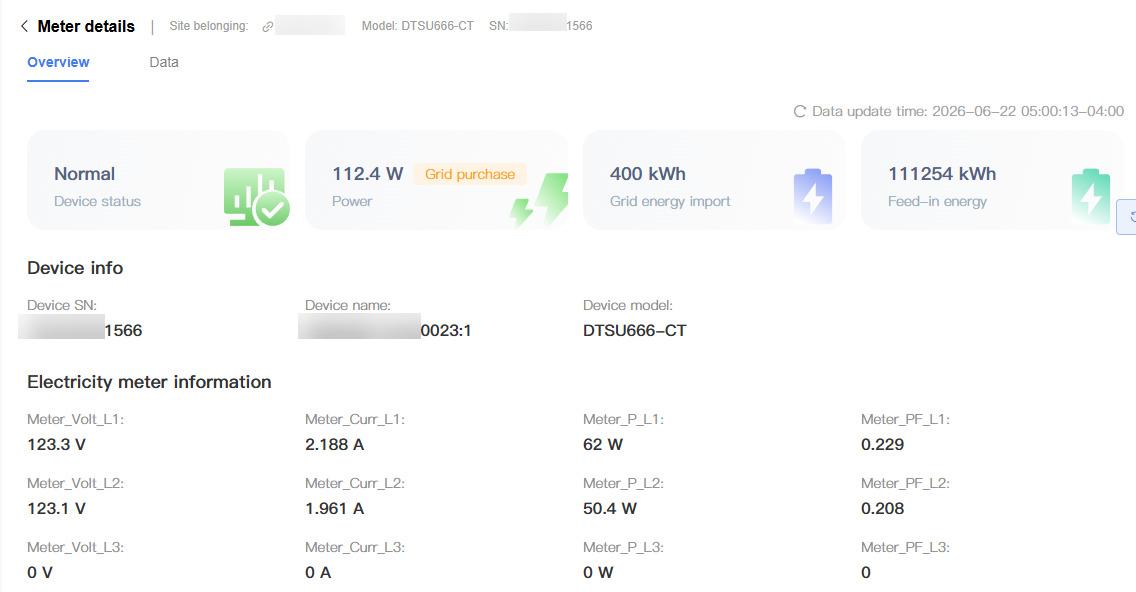
The "Overview" tab is used to view basic Electricity Meter information, operating status, and real-time measurement data.
On this page, users can view Electricity Meter Device information, operating status, and real-time operating data such as voltage, current, power, and power factor.
NOTE
The information displayed may vary depending on the Electricity Meter model.
The data displayed on the page is the most recent data reported by the Electricity Meter.
Data
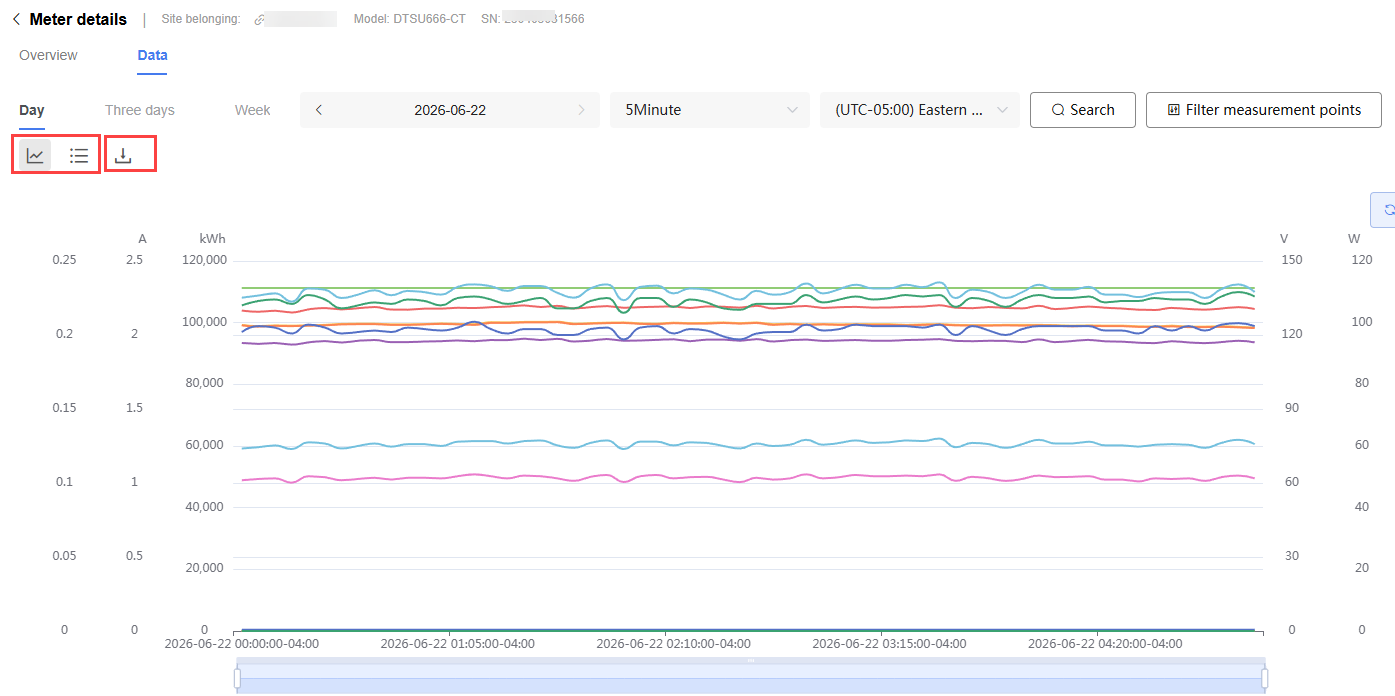
The "Data" tab is used to view Electricity Meter historical operating data and trend charts:
Historical data can be filtered by time range, data interval, and time zone
Data change trends can be viewed in table or chart form
Data can be downloaded
NOTE
Data update time and sampling interval are based on the actual data reported by the Device.