System Login
Sign-Up an Account and Login
Introduction to the process of signing up a MatriCloud account for distributor, installer, and owner user.
Who can sign up?
- Users who provide the owner with services such as site construction, operation and maintenance.
Methods for signing up:
- contact the superior company for registration assistance
- self-registration
Sign-Up and Login Instructions: North America and Europe
Enter the specified website in the address bar of the browser to enter the login page:
- For North America Distributorand Installer: https://icloud.chintpowersystems.com/
- For European Distributor and Installer: https://chintpower.online
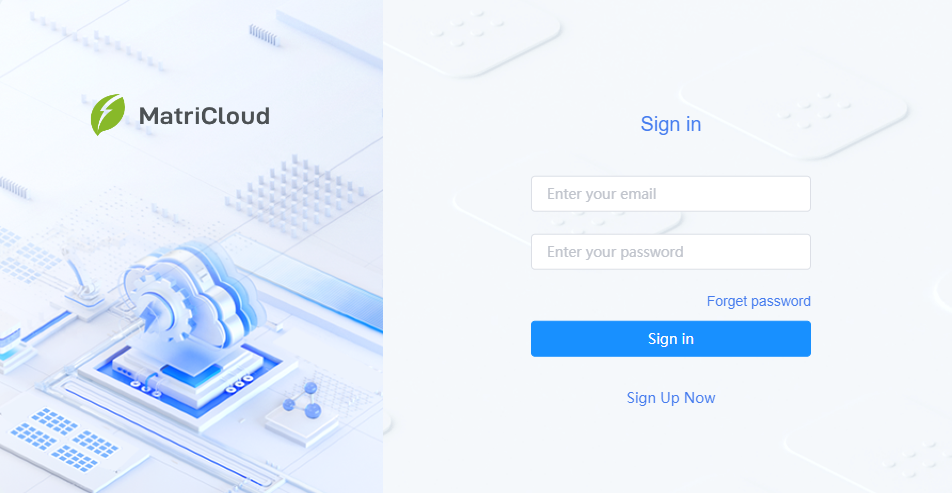
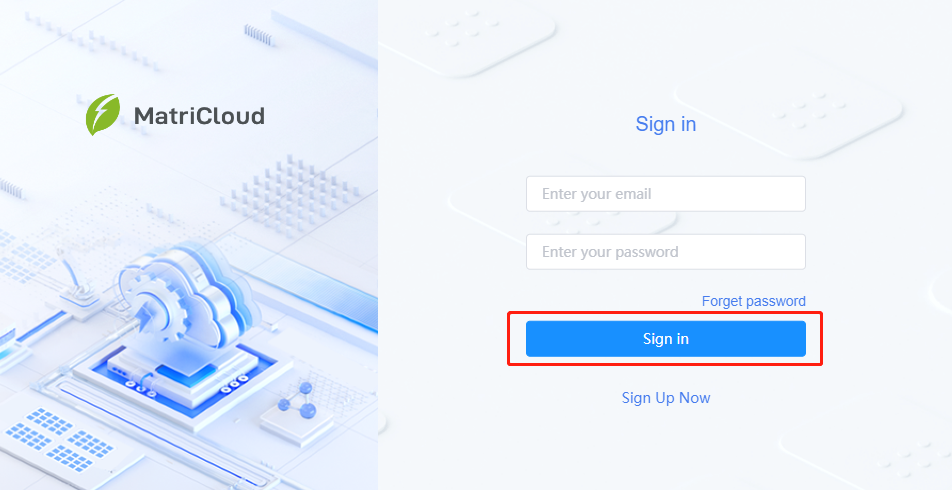
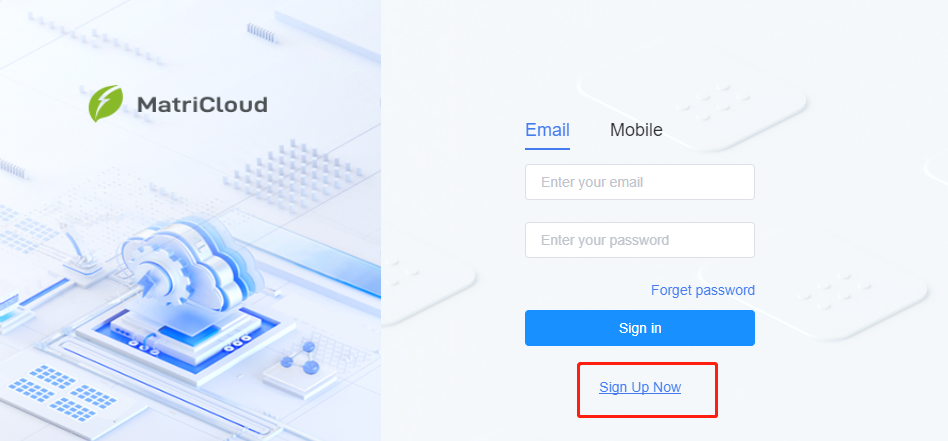
- Click "Sign Up Now" to enter the registration page.
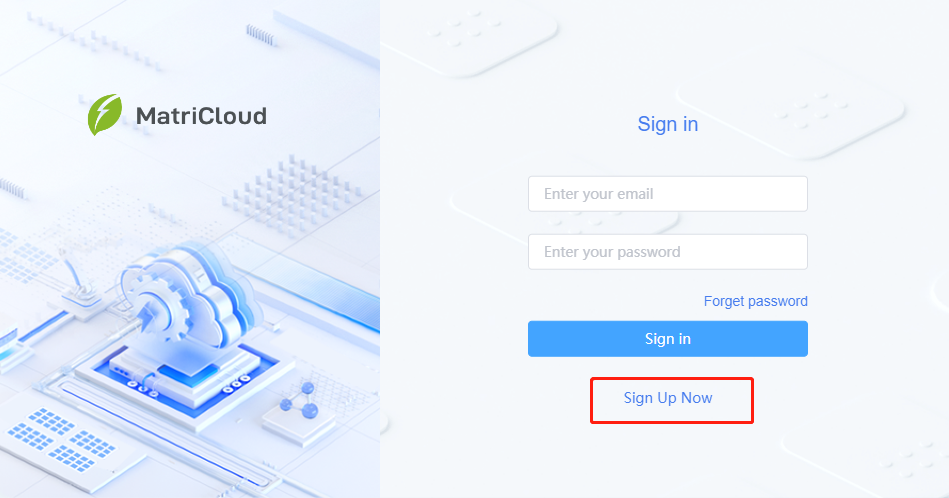
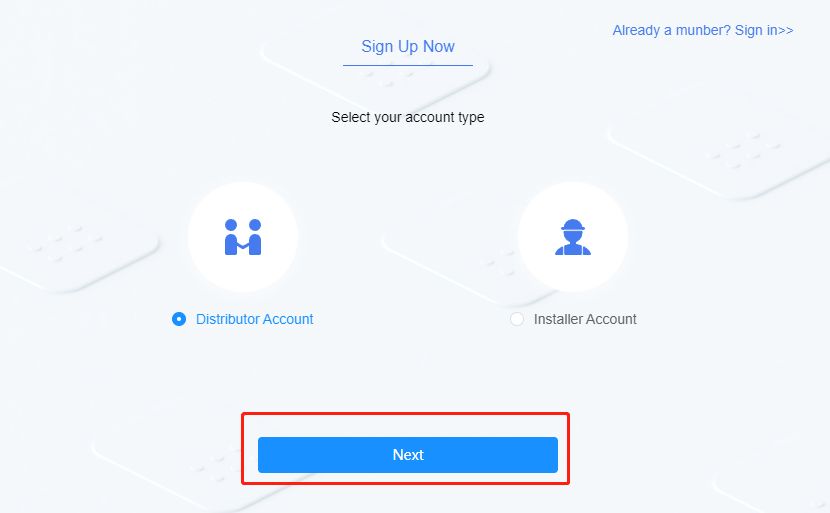
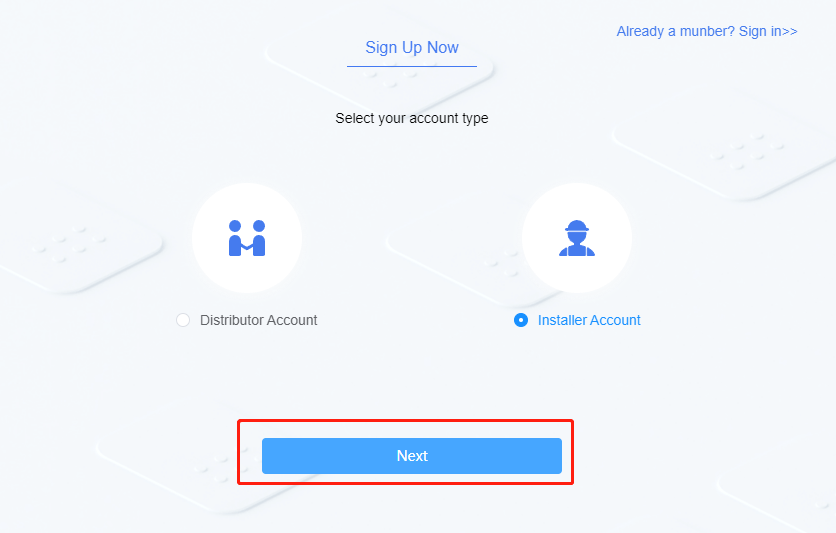
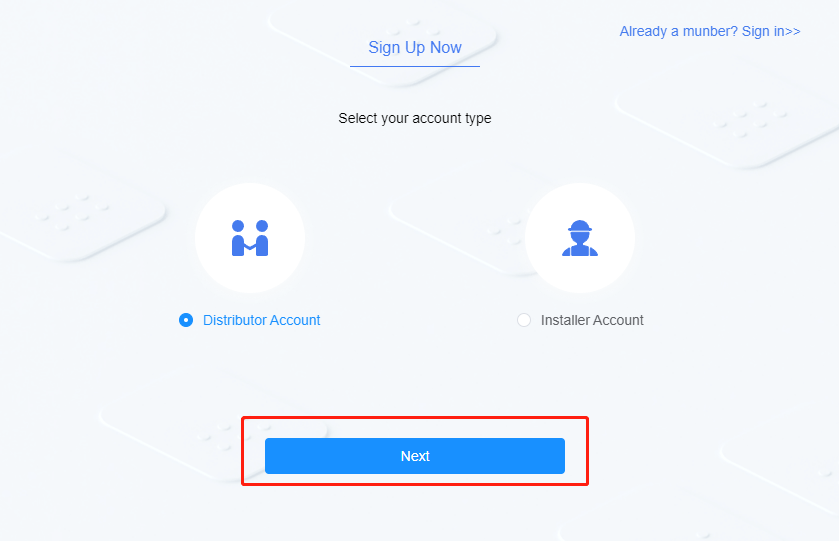
- Select your account type (Distributor or Installer Account), click "Next" to fill in your registration information.
- Fill in your registration information. Agree to the Privacy Policy, and click "submit" to complete the registration.
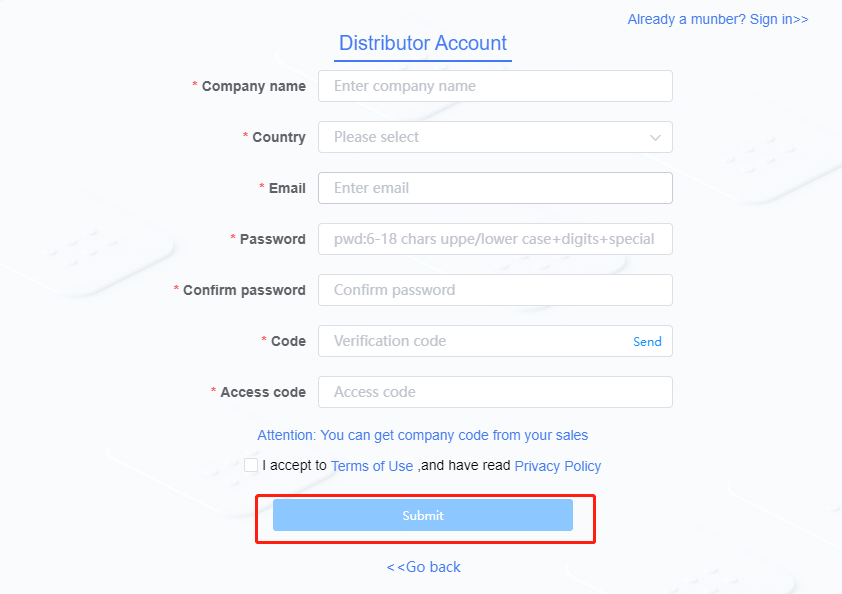
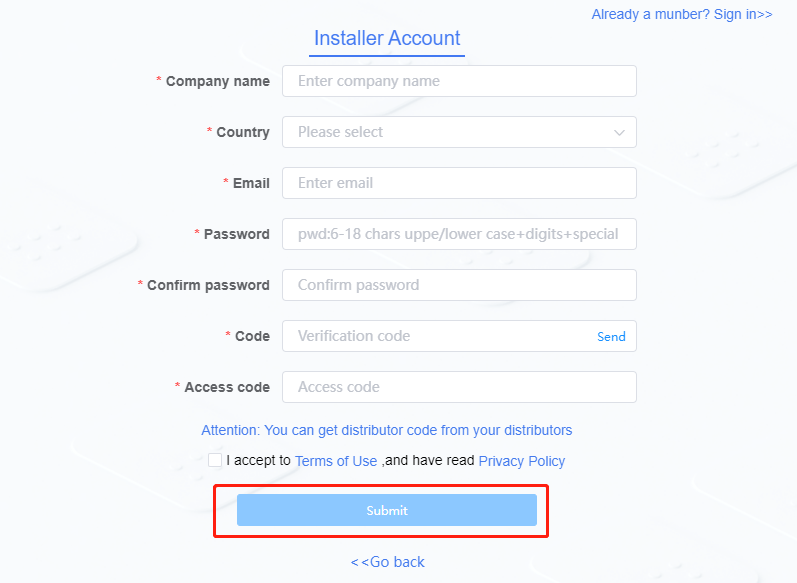
| Contents to Fill in | Description |
|---|---|
| Company name | Enter correct Company name |
| Enter your email account | |
| Password | The password is a combination of 8-30 digits, letters or symbols. |
| Confirm password | Keep it consistent with the password entered |
| Verification Code | After entering the email, click Send and enter the verification code received. |
| Access Code | Organization code of superior service provider. It can be obtained by contacting Authorized Distributor or CPS Customer Services. After filling in, they can browse and manage the site you manage. |
- Go back to sign in page. Fill in e-mail and password. Click "Sign in" to enter the management page.
Sign-Up and Login Instructions: Asia-Pacific
- Enter the specified website in theaddress bar of the browser to enter the login page: https://icloud.chintpower.com
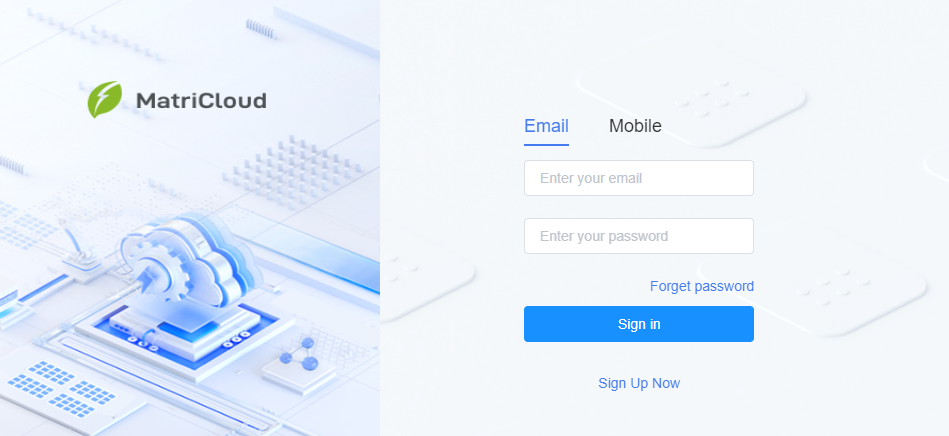
- Click "Sign Up Now" to enter the registration page.
- Select your account type (Distributor or Installer Account), Click
Nextto fill in your registration information.
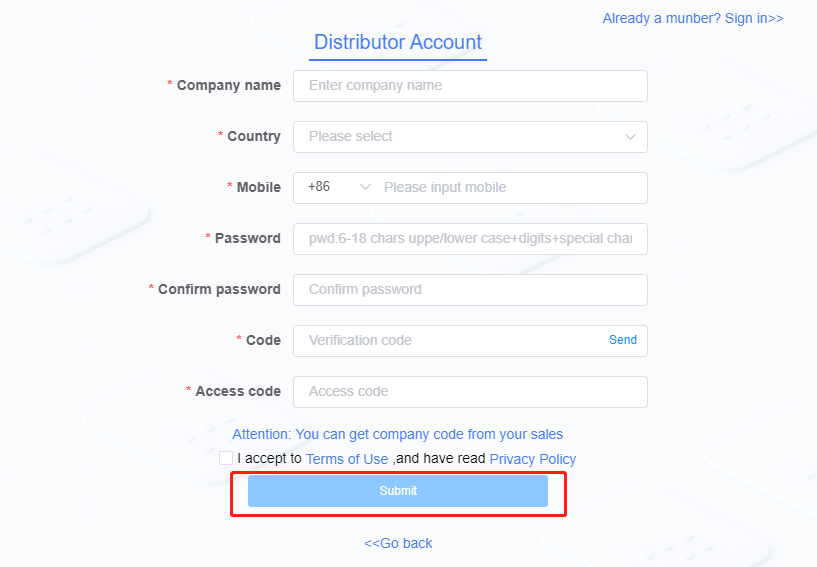
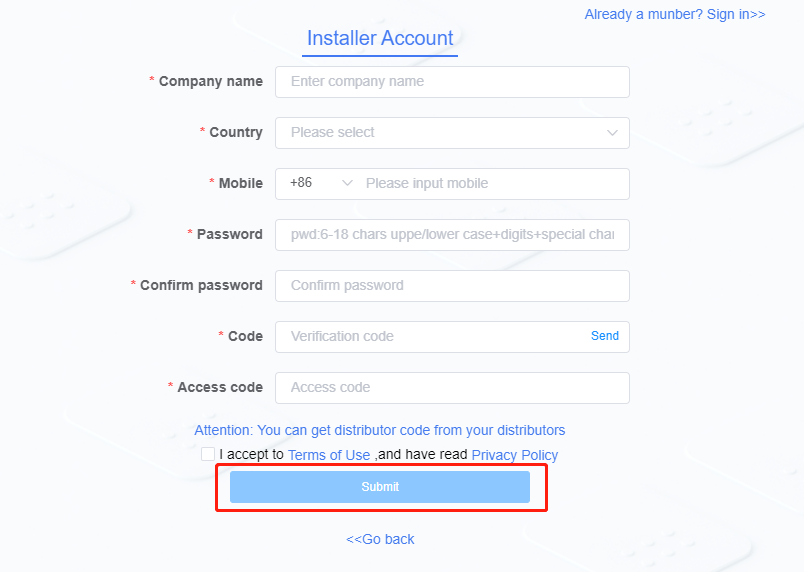
- Fill in your registration information. Agree to the Privacy Policy, and click
submitto complete the registration.
- Go back to sign in page. You can sign in by e-mail or mobile phone number, fill in the phone number/e-mail and password. Click "Sign in" to enter the management page.
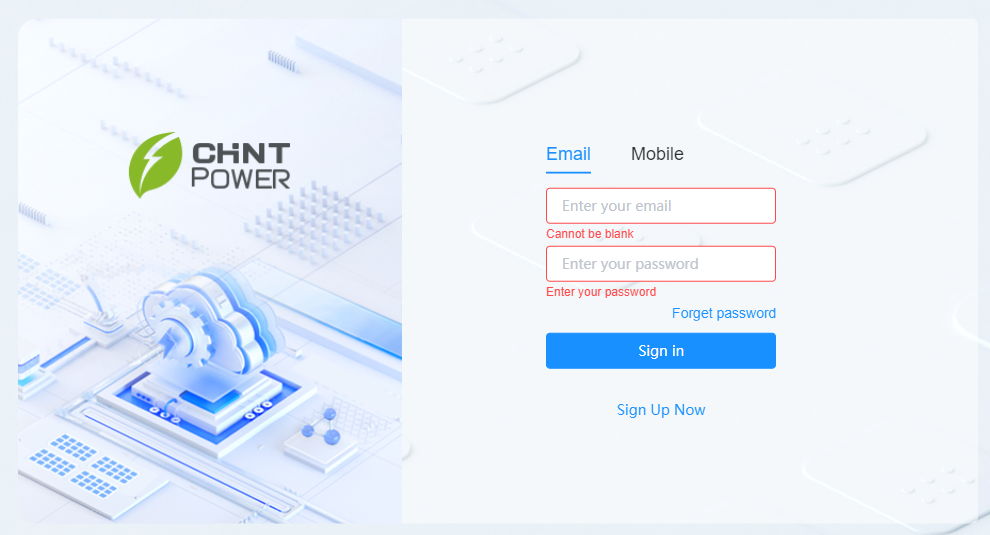
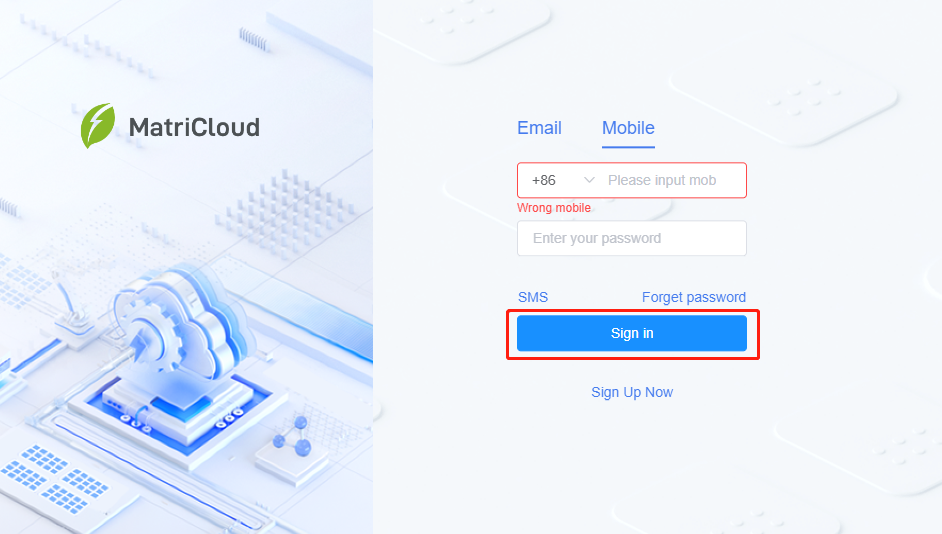
| Contents to Fill | Description |
|---|---|
| Company name | Enter correct Company name |
| Enter correct email account | |
| Phone number | Area code is required for mobile phone number |
| Password | The password is a combination of 8-30 digits, letters or symbols. |
| Confirm password | Keep it consistent with the password entered |
| Verification Code | After entering the mobile phone number, click Send and enter the verification code received. |
| Manufacturer No. and Distributor No. | Organization code of superior service provider. It can be obtained by contacting your superior service provider. After filling in, your superior service provider can browse and manage the site you manage. |
Reset Password
This section describes two methods to retrieve password:
- Contact the service provider to reset the password. After resetting, the new password will be sent to the reserved mobile phone number or e-mail.
- Reeset by yourself by referring to the following process.
Reset Process: North America and European
Enter the specified website in the address bar of the browser to enter the login page.
- For North America n distributor adn installer: https://icloud.chintpowersystems.com/
- For European: https://chintpower.online
Click "Forget password" to enter the password retrieval page
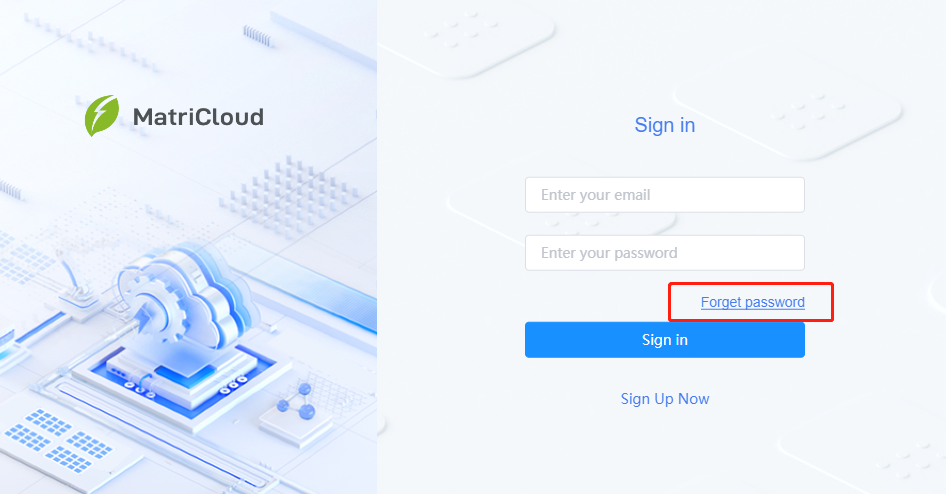
- Fill in registration information and click "Determine" button to retrieve password.
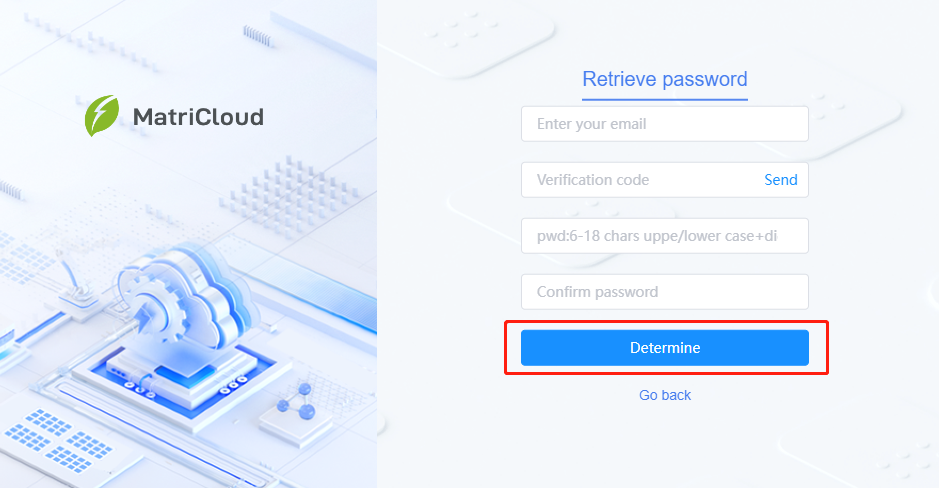
| Contents to Fill in | Description |
|---|---|
| Enter your email account | |
| Verification Code | After filling in the e-mail, click Send and enter the verification code received. |
| New password | The password is a combination of 8-30 digits, letters or symbols. |
| Confirm password | Keep it consistent with the new password entered. |
Reset process: Asia-Pacific
Enter the specified website in the address bar of your browser: https://icloud.chintpower.com/.
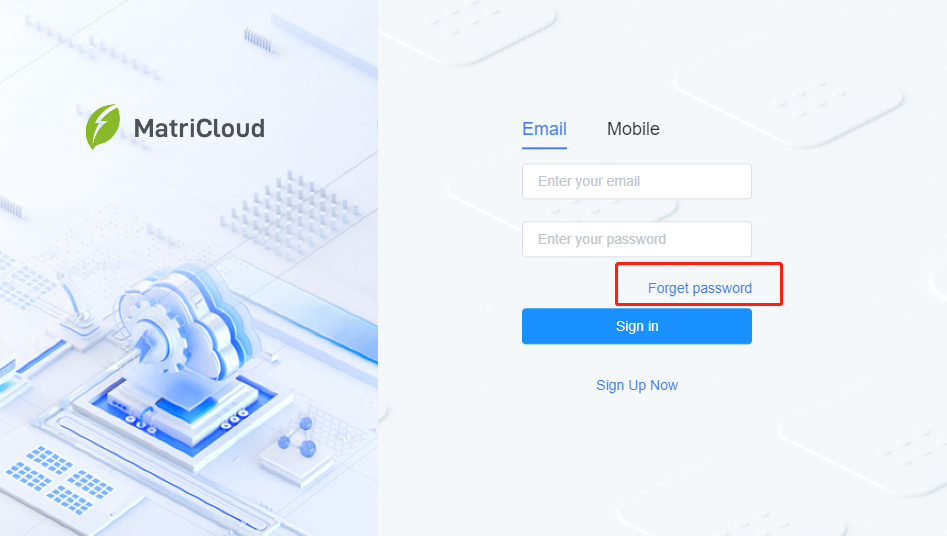
Click "Forget password" to enter the password retrieval page
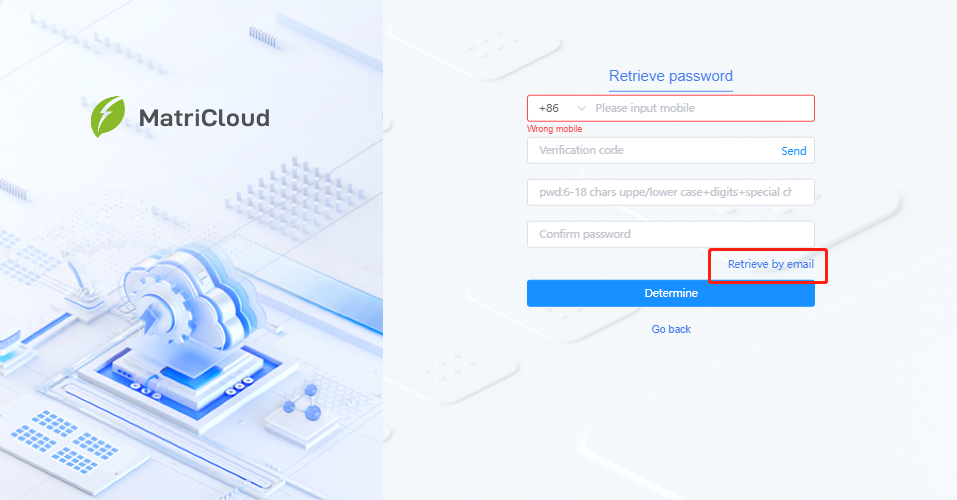
- Select the retrieval method: retrieve by e-mail/mobile phone number.
- Fill in registration information
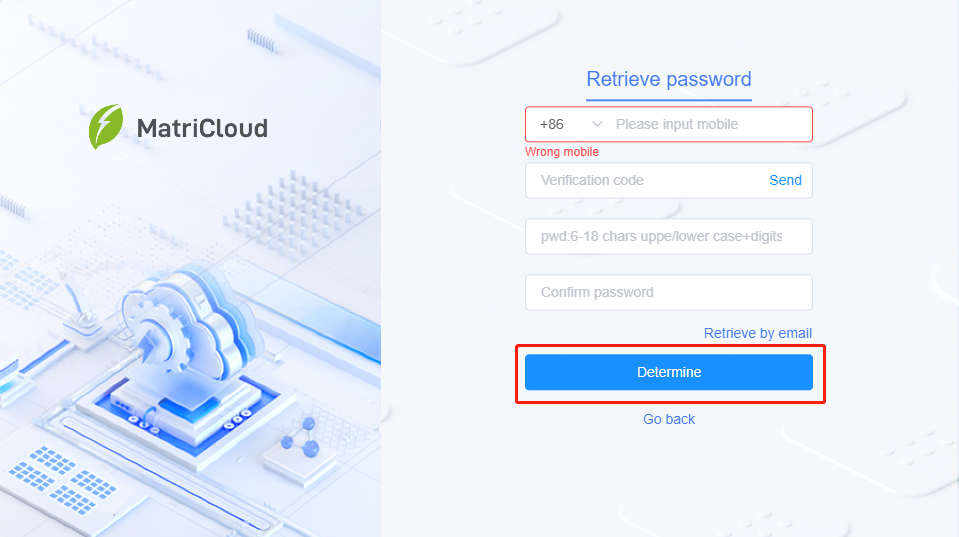
| Contents to Fill | Description |
|---|---|
| E-mail or mobile phone number | Area code is required for mobile phone number. |
| Verification Code | After filling in the mobile phone number/e-mail, click Send and enter the verification code received. |
| New password | The password is a combination of 8-30 digits, letters, or symbols. |
| Confirm password | Keep it consistent with the new password entered. |